
Animator freedom meets imagination#
Animux is a free computer system for animators. Start it from a USB stick or in a virtual machine and you get one desktop with about a hundred ready programs for 3D, 2D, stop motion, video, sound and render farms. You install nothing and pay nothing.
This guide assumes you have never used Linux. Every step says what to click, and shows a screenshot where it helps.
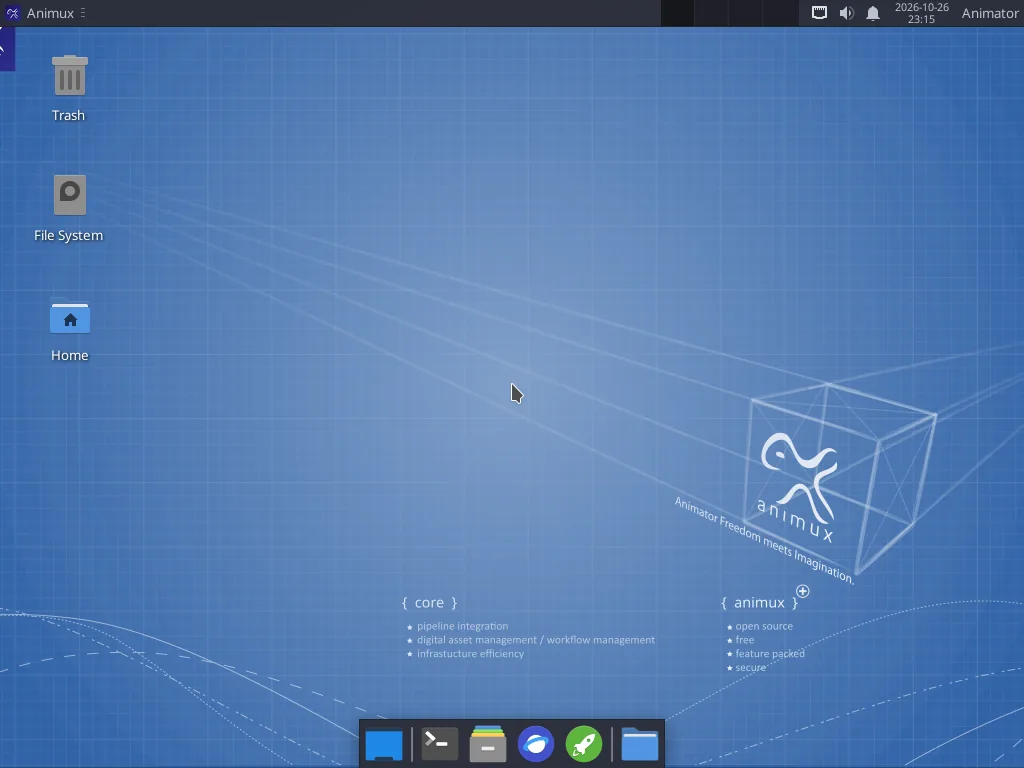
New here? Follow these five steps#
- What is Animux?: what you get and what you need.
- Try it safely in VirtualBox, or make a USB stick to start a real computer from it.
- Take the desktop tour: the menu, files and settings.
- Run the self-test to check that everything works on your computer.
- Make your first 3D render with Blender, then continue with the other tutorials.
When you like it, install Animux on the hard disk so your work and settings are kept.
What do you want to make?#
3D animationBlender 5.2 with Cycles and EEVEE, plus characters from MakeHuman.
Hand-drawn 2DPencil2D, Krita and TupiTube for frame-by-frame drawing.
Cut-out and vector 2DSynfig Studio: automatic in-betweens and bone rigs.
Stop motionClay, LEGO or paper, shot with a webcam.
Edit the filmKdenlive: shots, music, titles, export to MP4.
Sound and musicAudacity, Ardour, LMMS and more.
RenderingCycles, POV-Ray, LuxCore, Mitsuba, appleseed, pbrt.
Render farmMany computers rendering one film with Flamenco.
Tutorials#
Your first 3D renderIn Blender, replace the default cube with a monkey head, give it shiny red paint, add a floor, light it and render a picture. About 30 minutes, no experience needed.A turntable animationMake Suzanne spin once around in four seconds with two keyframes, then render the animation straight to an MP4 video. About 20 minutes.A character with MakeHumanCreate a human character with MPFB inside Blender, give it a skeleton, pose it and set a keyframe, or design it in MakeHuman II and bring it over. About 30 minutes.A bouncing ball in SynfigThe classic first animation exercise. Make a ball fall, squash and bounce with waypoints and ease in and out, then export a GIF. About 30 minutes.Hand-drawn animation in Pencil2DDraw a short flip-book animation frame by frame with onion skin, play it back and export it as GIF or MP4. About 30 minutes, perfect for beginners and children.Paint an animation in KritaUse Krita's animation workspace to paint a short loop, such as a flickering candle flame, with onion skins, then render it to a video. About 40 minutes.Stop motion with a webcamSet up a tiny studio, capture a clay or LEGO animation with Stopmotion's onion skin, and turn it into a video with sound.Edit your film in KdenlivePut rendered shots, a title and music together on a timeline and export an MP4 ready for YouTube. Uses the turntable video from the earlier tutorial. About 30 minutes.Command-line rendering and batch jobsRender Blender, Synfig and POV-Ray without opening them, keep renders running after you log out, render overnight, join frames into a video and convert hundreds of images at once.From idea to finished short filmThe stages of an animated film production and which Animux program to use at each one, with a realistic plan for a first 30-second film.
Latest news#
- 2026-10-30 — Animux Genesis64 r16.3: OpenToonz 1.8, the studio 2D animation program, and the Maya Workflow Kit for Blender.
- 2026-10-29 — Animux Genesis64 r16.2: Claude Code in one step from the menu, and a boot menu without syntax errors.
- 2026-10-27 — Introducing the Animux Guide: A complete, illustrated guide for animators who have never used Linux, installed on every Animux system and readable by AI agents.
- 2026-10-26 — Animux Genesis64 r16 is here: Blender 5.2 LTS, Gaffer, five new renderers, MakeHuman II, a signed Animux package repository and a self-test that checks it all.
For programs and AI agents#
This guide is also built for software. On Animux the guide is in /usr/share/animux/docs and is served at http://127.0.0.1:8765/. Every page is also available as Markdown, and llms.txt, a JSON index, a software catalogue, the animux-docs command and an MCP server come with it. See For AI agents.